 To all the techno travelers
--A.
This book was created and published on StoryJumper™
©2010 StoryJumper, Inc. All rights reserved.
Publish your own children's book:
www.storyjumper.com



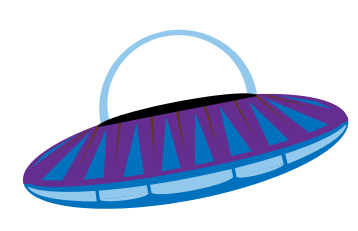


Hi! My name is Techno. I’m from Zoltar, a
planet far, far away from Earth. I’m a
space traveler, and right now, I’m on my
way to Mars to see some friends.
I haven’t been to Mars in a long time,
and I’m happy to see my friends. But I’m
going to miss my family back on Zoltar.
If only I could talk to them while I’m
away…


"Hey! Who are you?"
A plump, furry creature appeared.
The creature cleared her throat and said,
"Greetings. My name is Zaftig. I am here
to help you."
"You can help me talk to my family?"
Techno asked. "But they're so far away!"
Zaftig chuckled. "Techno, distance is no
match for e-mail," she said.



"E-mail? What's that?" Techno asked.
"E-mail stands for Electronic Mail," Zaftig
replied. "It is a way to send messages across
any distance using computers and the
Internet. It was first used on Earth millions
of years ago, in 1972. The first e-mail was
sent from Earth to outer space forty years
later, in 2012."
"Cool! But how does it work, Zaftig?"
2
1
6
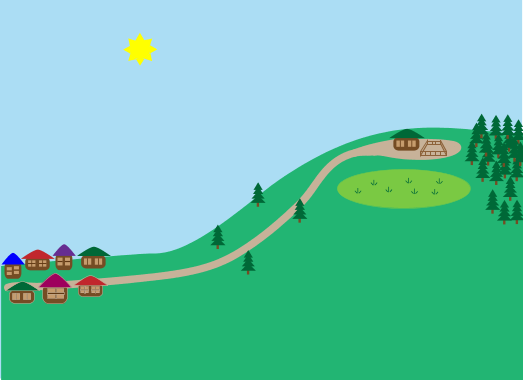


"It is very similar to the postal service
on Earth," Zaftig explained. "When you send
a message, the message is placed on a
server, which is like being sent to the
local post office. The message stays there
until it can be delivered to the server
connected to the other person’s e-mail
address. Imagine a postman delivering mail
from one post office to the next. After the
message gets to the second server, it is
sent to the proper address, just as postal
workers deliver mail from the post office
to specific home addresses. Except all of
this takes place in a matter of seconds!"

5
"Wow! How can I get started?" Techno
asked.
"First, you must sign up for an e-mail
account and e-mail address," Zaftig
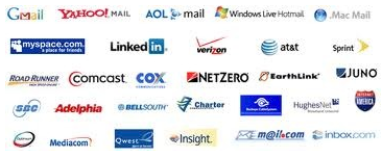
replied. "There are many e-mail
providers, but some of the most popular
are Gmail, Yahoo, AOL, and Hotmail. We
will use Gmail as an example."
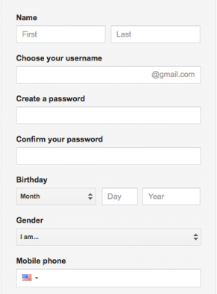


"You begin by filling out a short online
form. Go to Gmail.com, and click CREATE AN
ACCOUNT. Then, fill in the information."
"OK. Got it," Techno said. "But now it
tells me to choose a username. What's
that?"

"A username is a name that you choose
to be associated with your account.
Think of it as a street address,"
Zaftig said.
"Is the username the part that comes
before the @ symbol in my e-mail
address?" Techno asked.
"Yes," Zaftig replied. "Now, you will
also need to choose a password. A
password is a code that you choose that
will allow you access to your account.
Though it is necessary to share your e-
mail address with people in order to
receive messages, it is important never
to share your password with anyone."
3
3
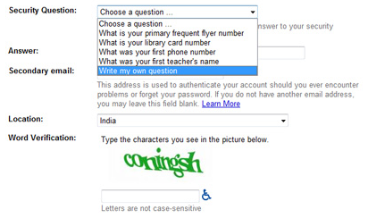
"You will also be asked to provide a
security question and its answer and to
type in a verification code," Zaftig
said. "These features are put in place
to protect your e-mail account from
being used by other people. Just follow
the instructions, and provide the
required information."
"OK...my mother's maiden name is
Rooloo...my pet retsmah's name is
Harold...got it!" Techno said.
3
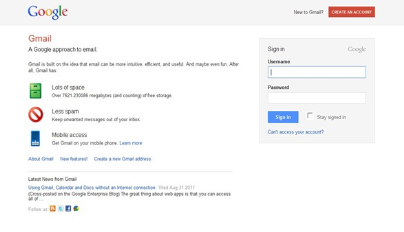
"Brilliant! Now, to send an e-mail, you
must log in to your account. Since you
just created your account, you should be
logged in already, but if you are not, you
must return to Gmail.com and click SIGN
IN. Then, type in the username and
password you selected."
You've previewed 19 of 30 pages.
To read more:
Click Sign Up (Free)- Full access to our public library
- Save favorite books
- Interact with authors


- < BEGINNING
- END >
-
DOWNLOAD
-
LIKE(1)
-
COMMENT()
-
SHARE
-
SAVE
-
BUY THIS BOOK
(from $5.99+) -
BUY THIS BOOK
(from $5.99+) - DOWNLOAD
- LIKE (1)
- COMMENT ()
- SHARE
- SAVE
- Report
-
BUY
-
LIKE(1)
-
COMMENT()
-
SHARE
- Excessive Violence
- Harassment
- Offensive Pictures
- Spelling & Grammar Errors
- Unfinished
- Other Problem





COMMENTS
Click 'X' to report any negative comments. Thanks!